
Harmony Navigator Screenshots

A sample snapshot from the Mac's desktop.

The above picture shows an example chord palette with embedded guitar fretboard visualization (lower left corner) and two helper windows: (1) Circle of Fifths: Navigate to related keys suggested by the current chord's harmonic function, (2) Keyboard helper: Follow chords and scales' mapping on a standard keyboard.
Live Instrument Support
You may open as many of the small helper windows you like, each of which renders the current chord and/or scale for a particular instrument (various string instruments and keyboards supported). This is a perfect setting for a band excercising a new song in front of a laptop screen (helpers may be sized as large as the full screen for better viewing from a distance).
Harmonizer

Import or record a melody and let the harmonizer suggest suitable chords and progressions: Picking chord suggestions from a list is easy. Still, the whole procedure is fully controlled by the user in order to allow for individual style
Palettes
Chords are arranged in the form of palettes. All chords in a palette match a certain key, a set of scales, or an abstract musical idea. Different layouts and colorings provide visual hints to what might sound good in a particular chord progression.
![]() |
![]() |
![]() |
![]() |
Four example palettes: Composers are free to define their own palettes, layouts and dynamic colorings according to their musical style and composition technique.
Coloring Schemes
Coloring schemes provide visual clues helping the composer to figure out which chords to use in a certain progression. A coloring scheme changes the color of each chord in the palette dynamically, depending on the most recently played chords.
Progression Editor
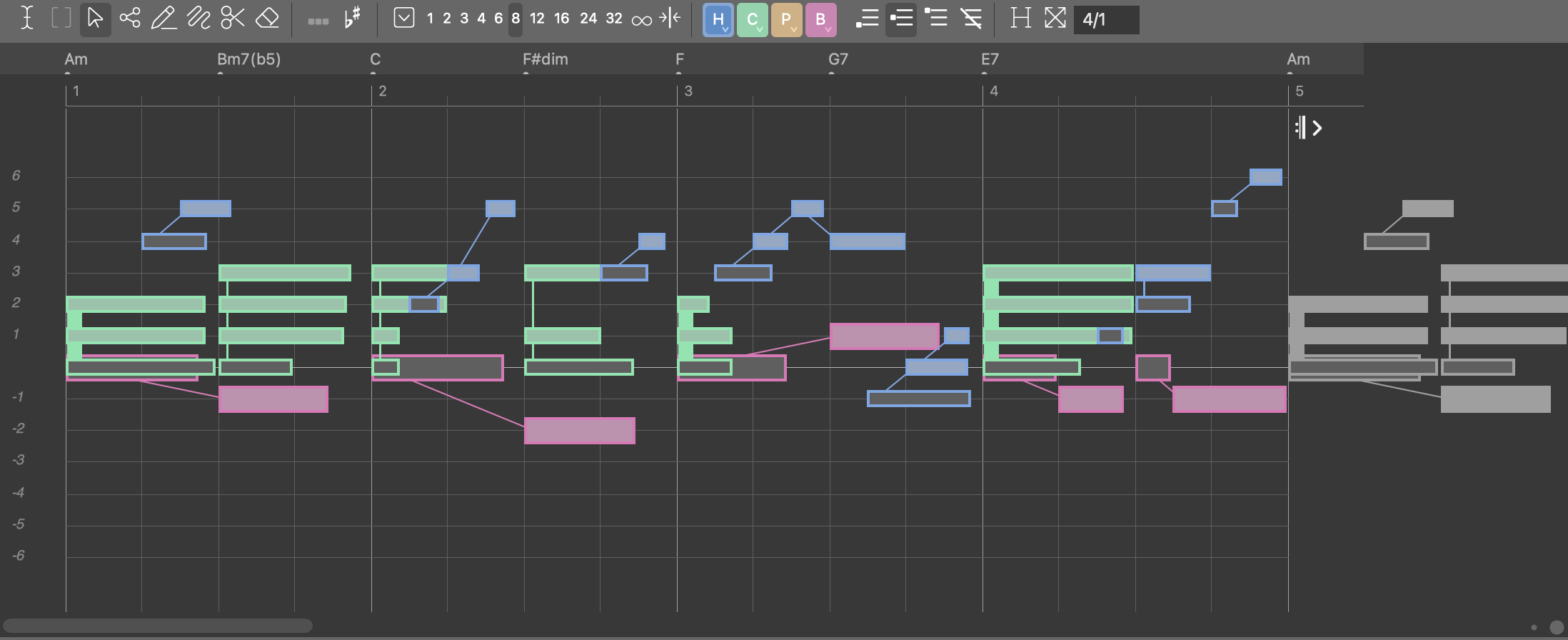
Progressions are more than just chords in a row. Scales makes a chord sound more specific in that they provide notes "outside" the chord used for melodies. Playing the same chord with different scales makes a big difference. Harmony Navigator's progression editor offers almost unlimited possibilities to combine chords with scales and keys.
HN helps you determine the (most probable) key of a progression. |
It's the (vertical) scale that finally defines sound and function of a chord: HN helps you find a great variety of suitable scales. |
Musical Knowledge Database
HN uses an internal database called "The Catalog" to compute and infer relationships between musical entities. You are free to modify or even replace the contents of this knowledge base. Whether you want to change a few chord names, add new chords, or construct your own theory of harmony: There are virtually no limits.
The chord database in the catalog. |
HN comes with a large choice of scales from various cultures and traditions. You are free to add your own. |
Audio & MIDI Setup
Register your MIDI equipment with Harmony Navigator. Using your favorite sounds dramatically improves the experience.
Pattern Customization
Customize patterns easily by combining phrases from built-in libraries or simply copy them from other patterns. HN allows for recording melodies and bass lines directly through an external MIDI keyboard.
Printing
Harmony Navigator prints progressions and chord palettes with a lot of helpful additional information for convenient "offline" use. Chords, scales and keyboard symbols provide an easy-to-use aid for the songwriter and his instrument. Simply print a copy for each band member and you won't need to take the laptop with you.
![]() |
![]() |
![]() |

My User Account